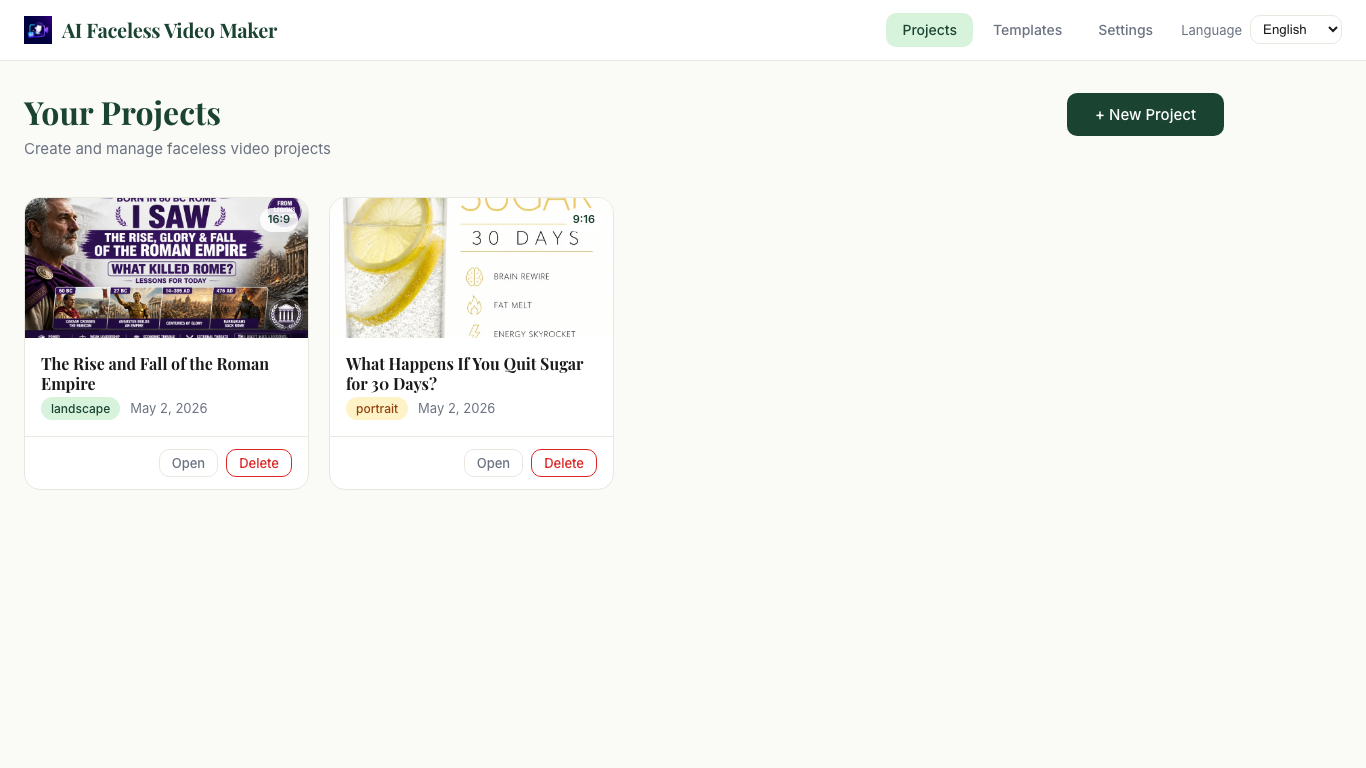
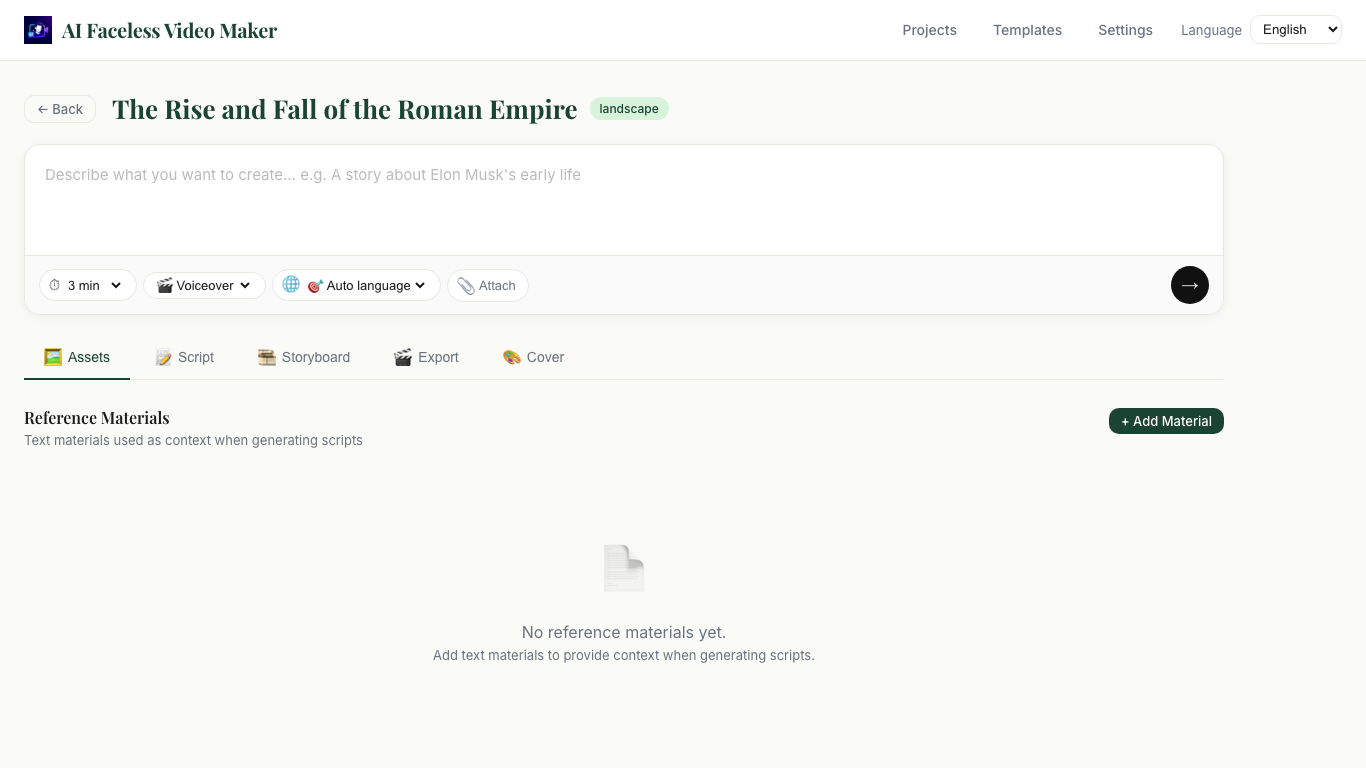
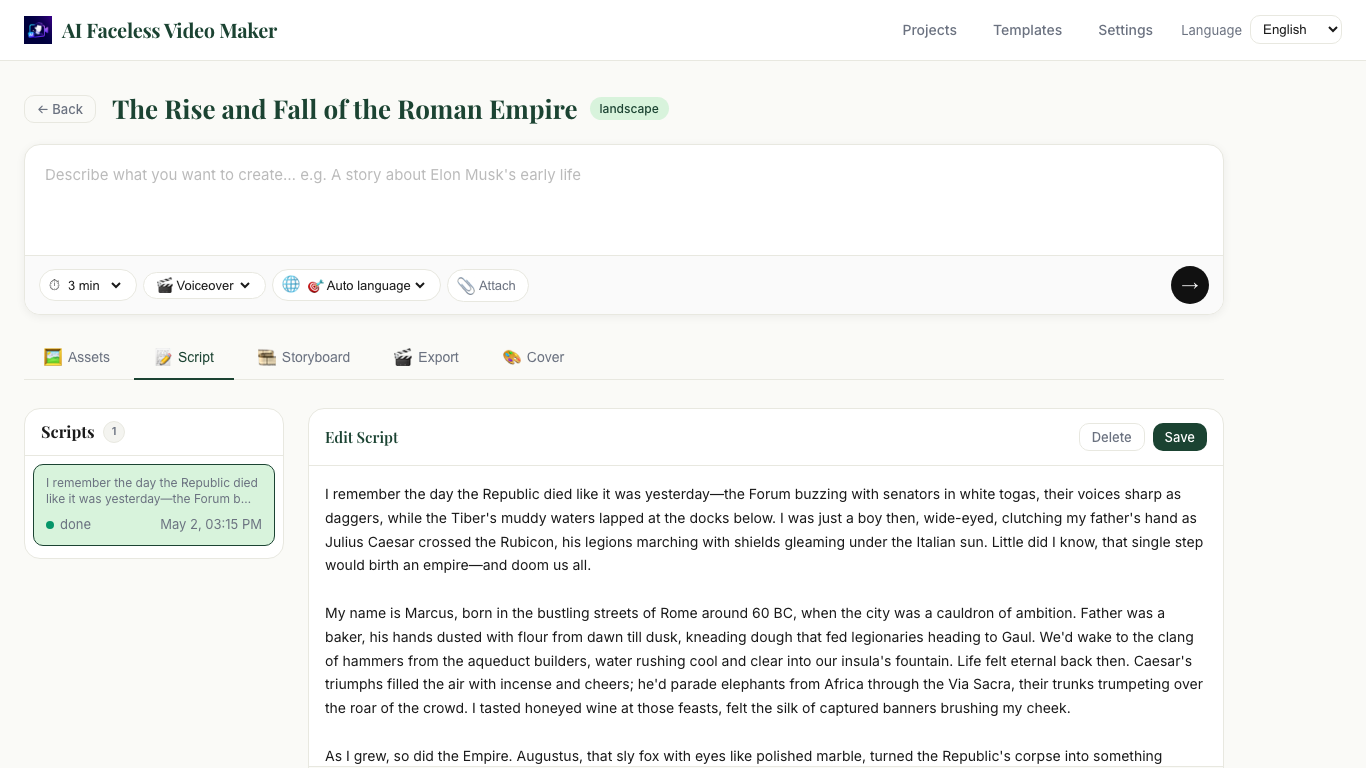
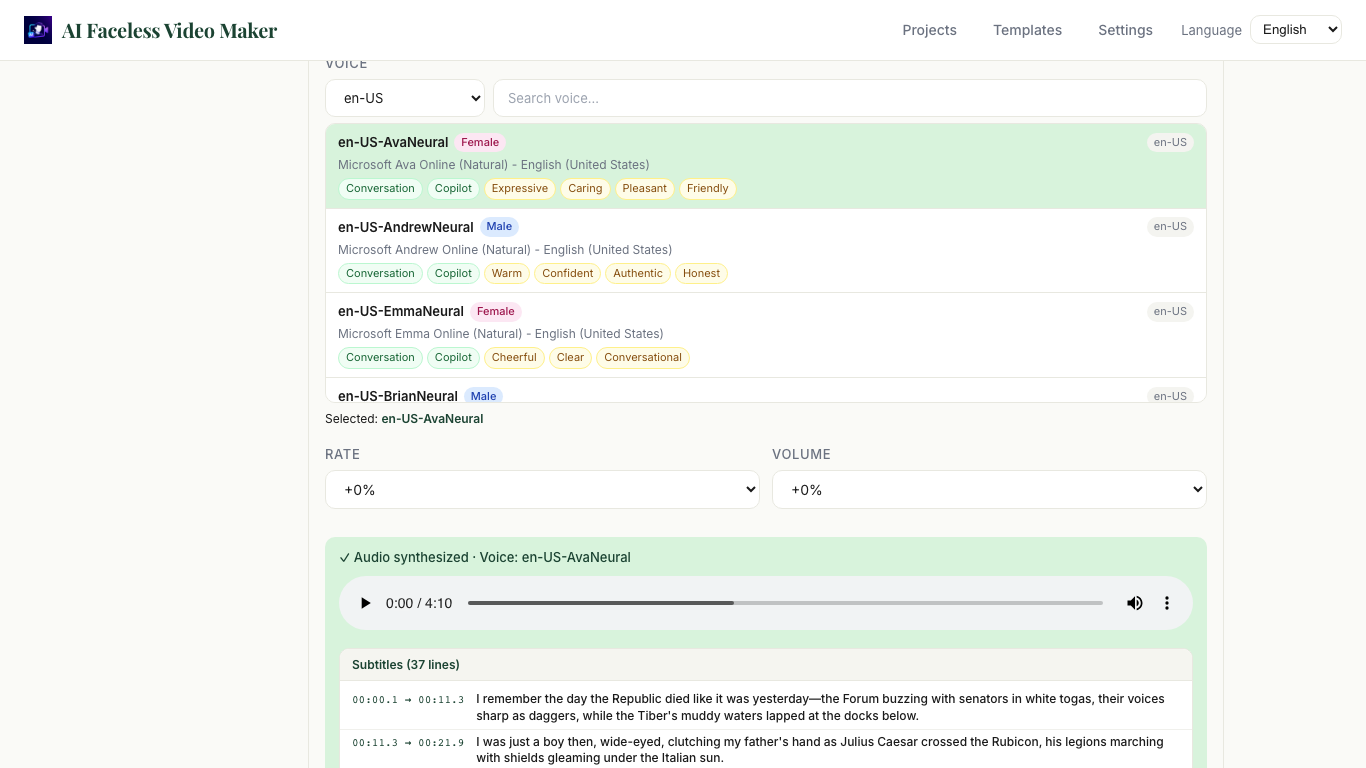
Write AI scripts, generate voiceovers, build storyboards, create scene images, and export a finished MP4 — all in one workflow without ever appearing on camera.
Product Screenshots
From project management to final export — see the full workflow inside the app.
Workflow
Follow a guided project workflow — no jumping between separate tools.
Paste your notes, article excerpts, outlines, or topic ideas as reference text for the AI to work from.
Choose a duration, pick a script style (narration, documentary, listicle, explainer, and more), and generate a structured voiceover script.
Convert your script to speech using Edge TTS voices. Subtitles are generated automatically and synced to the narration timing.
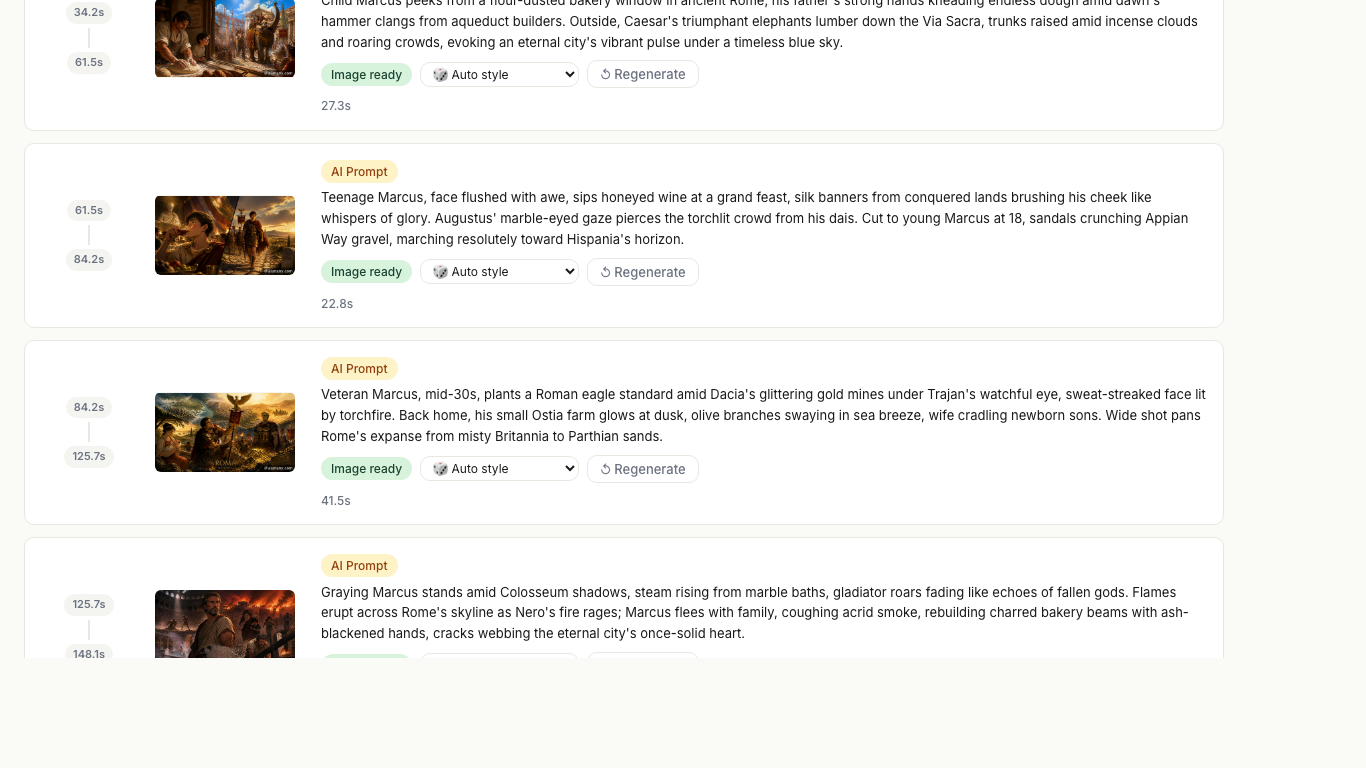
AI splits the narration into timed segments and assigns visual prompts to each scene. Generate AI images for every segment.
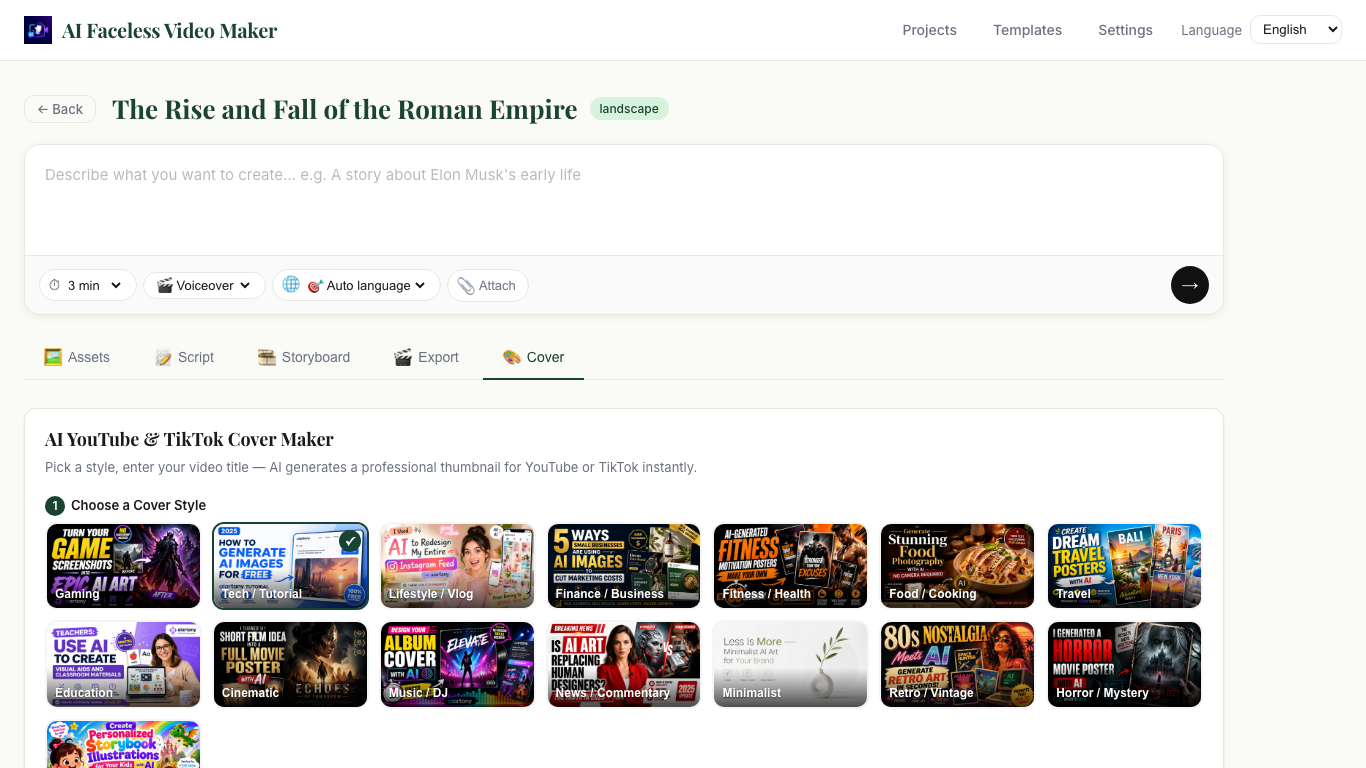
Generate a YouTube thumbnail or social media cover image. Control the concept, palette, rendering style, and mood.
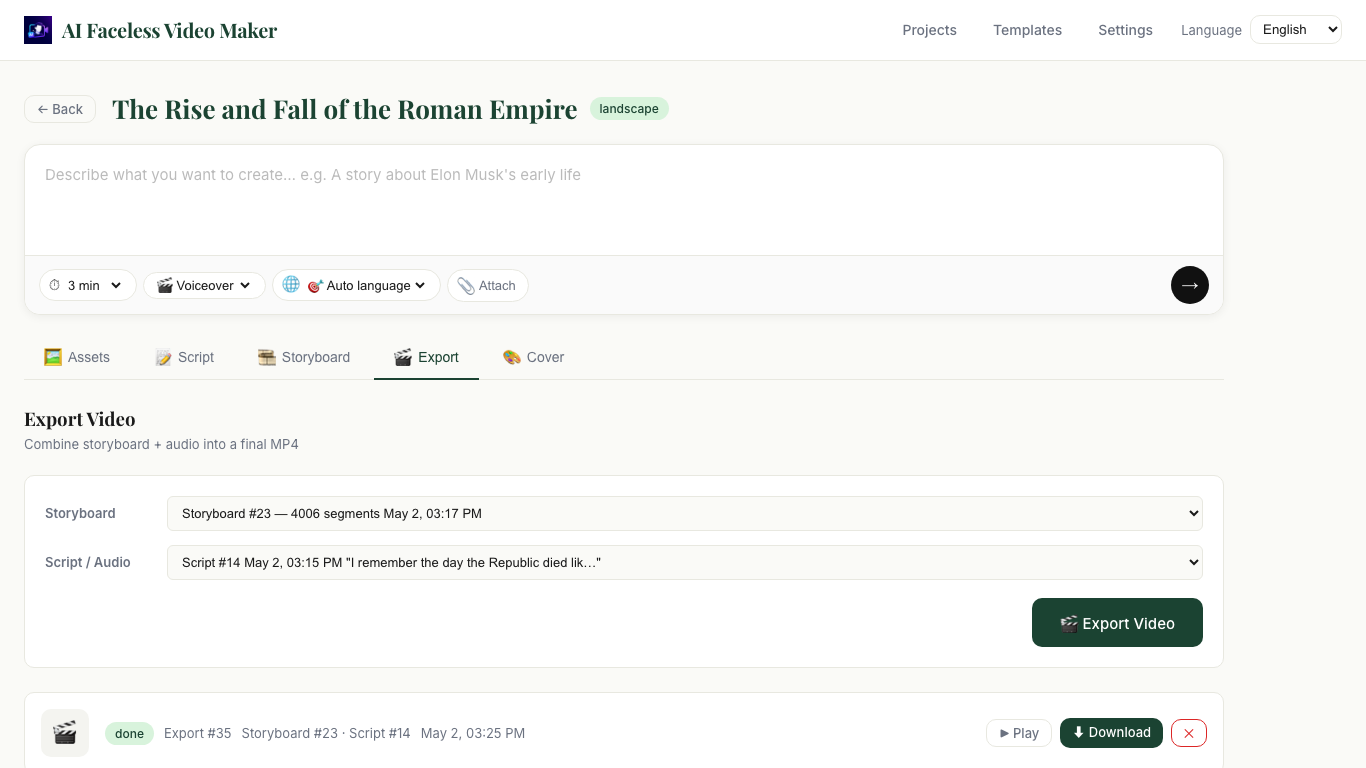
Export your final video with voiceover audio, burned-in subtitles, scene images, and Ken Burns motion effects applied per scene.
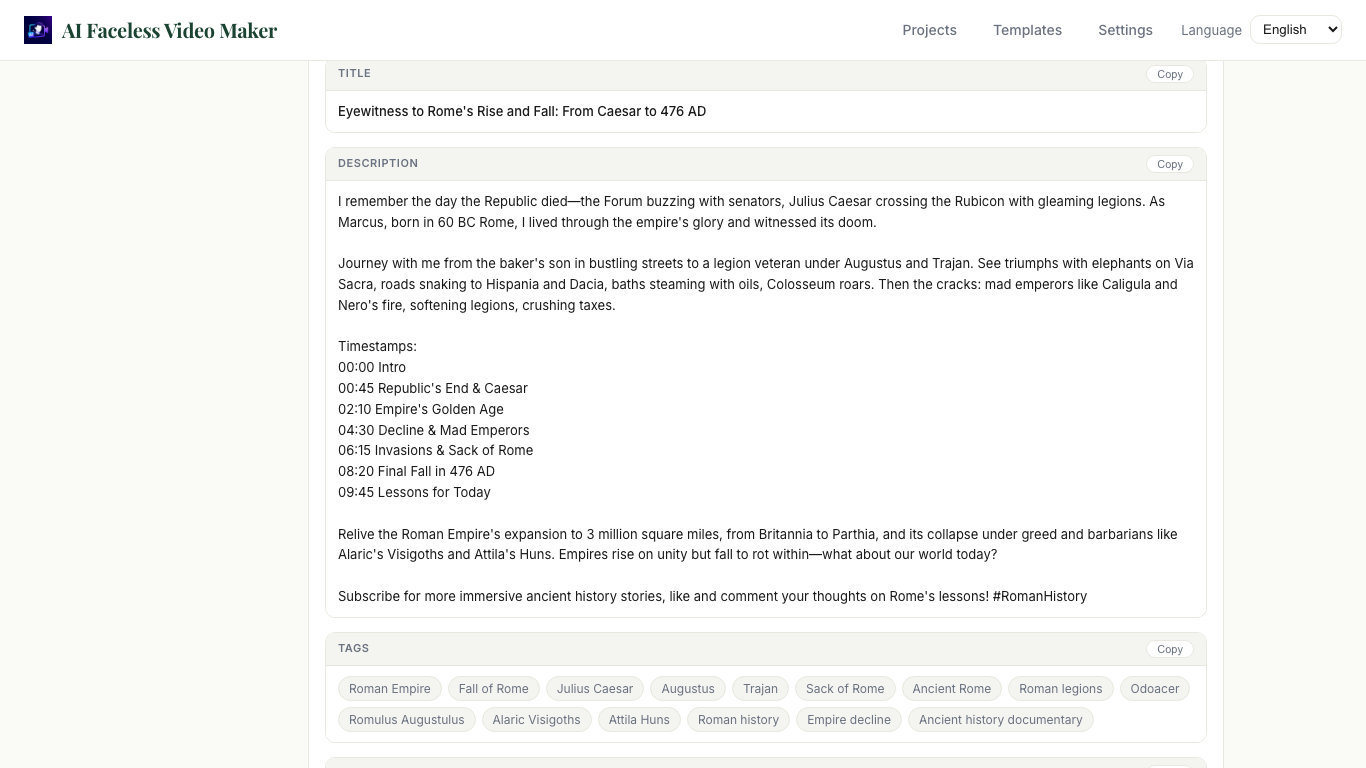
Generate a YouTube title, description, and tags — plus a TikTok caption — directly from your script content.
Choose 16:9 for YouTube or 9:16 for TikTok at project creation. Images and export adapt to your chosen orientation.
Key Features
A complete desktop workflow purpose-built for faceless video creators.
Generate structured narration scripts from topics or reference text. 8 script styles: YouTube narration, documentary, listicle, storytime, explainer, motivation, news report, and formal speech.
Convert scripts to narration audio using Edge TTS with hundreds of voices across languages. Subtitle timing is automatically generated and used in the final export.
AI splits your narration into timed visual segments and assigns image prompts to each scene. View and edit the storyboard before generating images.
Generate scene images for every storyboard segment using gpt-image-2. Choose from 10 visual styles: cinematic, photorealistic, watercolor, oil painting, anime, sketch, and more.
Create YouTube thumbnails and social media covers. Control cover type, color palette, rendering style, mood, and whether the title text appears in the image.
Export a finished MP4 video with voiceover, burned-in subtitles, and Ken Burns zoom-and-pan animation applied per scene for a polished, professional result.
Paste notes, article excerpts, outlines, or research summaries as project reference. The AI uses this content to keep scripts focused and accurate to your subject.
Save real scripts from YouTube or TikTok as reusable style references. Apply them to future script generations to match a specific tone, pacing, or structure.
Generate a YouTube title, description, hashtag tags, and TikTok caption from your script. Prepare your video for publishing without writing every detail manually.
Styles
Choose the right tone and visual aesthetic for every video you create.
FAQ
Still have questions? Email us at support@iamdev.me
AI Faceless Video Maker is a Windows desktop application that guides you through the full faceless video creation workflow: writing a narration script, generating voiceover audio, building a visual storyboard, creating AI images for each scene, designing a cover thumbnail, and exporting a finished MP4 video.
No. The app is designed entirely for faceless video creation. All visuals are generated from AI images — no camera or face required.
You can create landscape videos (1280×720) for YouTube, and portrait videos (720×1280) for TikTok and short-form platforms. The app also generates platform-specific metadata: YouTube title, description, tags, and TikTok caption.
Yes. AI script generation, image generation, and cover creation require an AI Art Any API key. Visit aiartany.com to get your key, then paste it into the Settings page inside the app.
There are 8 script styles: Faceless YouTube Narration, Formal Speech, Documentary, Listicle, Storytime, Explainer, Motivational, and News Report. For images, there are 10 visual styles including Cinematic, Photorealistic, Watercolor, Oil Painting, Anime, and more.
The exported MP4 includes your voiceover audio, burned-in subtitles (ASS format), and AI-generated scene images with Ken Burns motion effects — zoom and pan animation applied per segment for a dynamic, professional result.
Yes. You can paste text notes, article excerpts, outlines, or research summaries as reference assets in the project. The AI uses this content to generate more focused and accurate narration scripts.
AI Faceless Video Maker is available on the Microsoft Store. Click the "Download Free on Microsoft Store" button on this page, or search for "AI Faceless Video Maker" in the Microsoft Store on your Windows PC.